
Internal vs External Pen Testing: Key Differences, Common Methods, and Examples
When it comes to choosing internal vs external penetration testing, most business feel confused. And that’s not because the concepts are complicated but because every business has their unique risks, systems and pathways attackers can use to break in. So, the choices are supposed to differ.
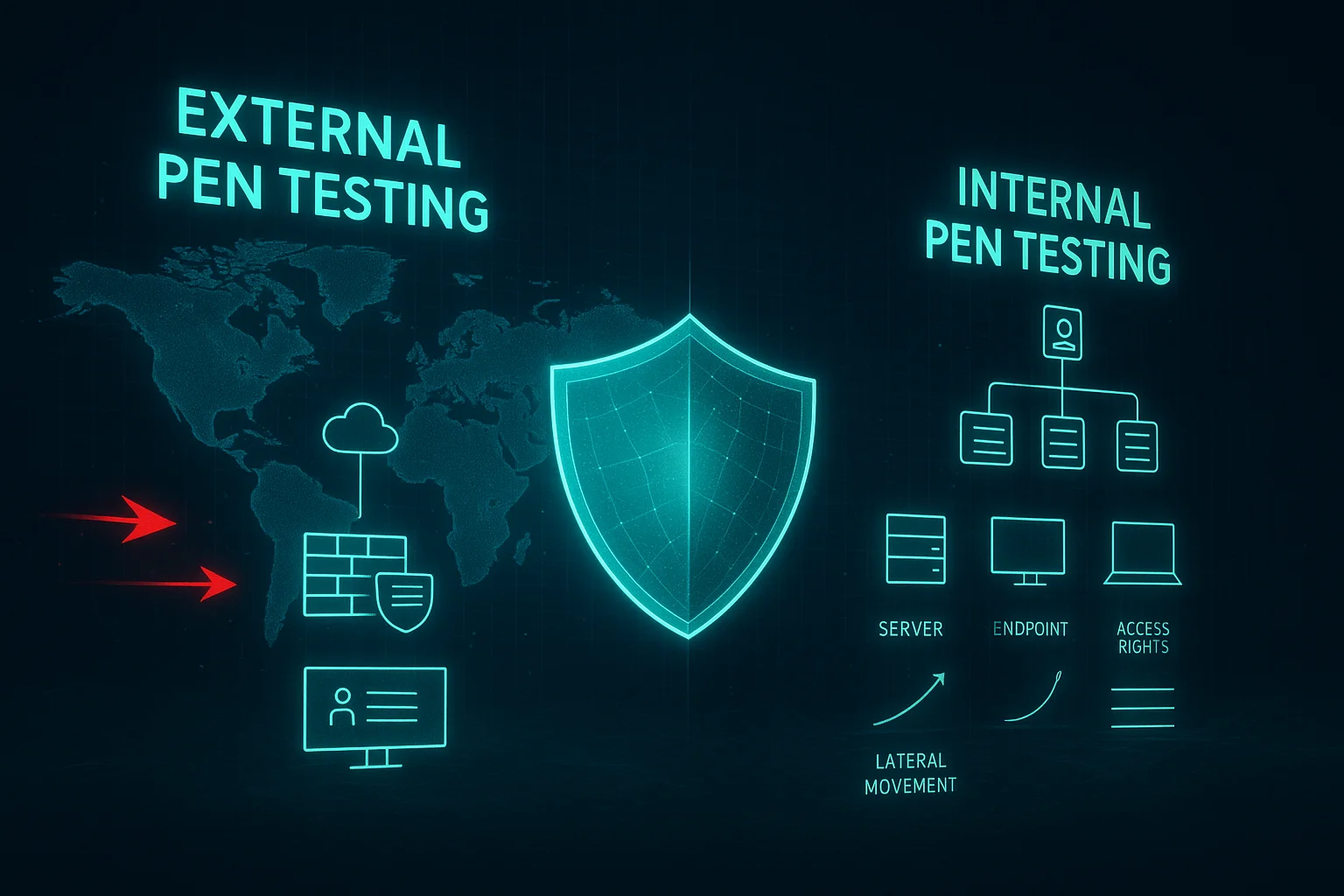
External pen testers look at your business from the outside: the website, exposed serves and everything reachable through the internet. While internal penetration testing analyze the vulnerabitlies inside your environment. Both matters equally but you have to decide which comes first for your business.
In this in-depth internal vs external pen testing guide, we’ll go deep into each type of penetration testing. Keep reading to clear your confusions.
What is External Penetration Testing?
The process of simulating a real-world cyberattack in which a penetration tester identifies and exploits the security vulnerabilities is called external penetration testing. As the name suggests, it only targets the security flaws outside a business’s network, such as the websites, web apps, email servers, cloud services, VPN portals, or public IP ranges.
So, what’s the main purpose of doing all that hassle? We hear ya. See, if the attacker can’t even begin to exploit your external network, they can’t even think about breaking into your internal system. Get it? That’s how impactful external penetration testing is.

Most Common External Penetration Testing Methods
So, here’s how the most typical external penetration testing goes:
- Reconnaissance: You can consider it the basic step for all types of external penetration testing because this is where the pen testers get started. They start by collecting publicly available information without touching your systems.
- Port Scanning & Service Enumeration: Testers look for open SSH, RDP, FTP, SMTP, and operating services that shouldn’t be exposed.
- Vulnerability Scanning: When it comes to assessing vulnerabilities, it’s mostly done through automated tools first. It works like pointing out the already known vulnerabilities.
- Web Application Testing: This is where the penetration testers only focus on the websites (aka web application penetration testing) and go deep into them. For example, they attempt testing SQL injection, broken authentication, logic bypass, and session hijacking.
- Password Attacking: One of the most typical external pen testing methods is to exploit weak passwords through brute forcing, credential stuffing, and password spraying.
- SSL/TLS Security Testing: The purpose of this method is to check the encryption strength on public websites and services.
- Social Engineering: It includes phishing email campaigns, fake login pages, and malicious attachments. Regardless of how secure your network is, a human error can make it easier for the attacker to get in.
Top 5 External Penetration Testing Examples
By reading these external network testing examples, you’ll understand how the testing methods (which are mentioned above) work in real-world cases. So, here we go:
Example 1: Testing Exposed Login Portals
Every other company has a login page for its users, which is the perfect gateway for a hacker. Here’s how we test it:
- Brute forcing
- Checking for MFA misconfigurations
- Rate-limit bypassing
- Checking for weak credentials
- Trying session hijacking or cookie manipulation
- Attempting credential stuffing
And here’s what we mostly find during the testing:
- Admin portals with default passwords
- No MFA on remote-access logins
- Unlimited login attempts
- Leaked credentials from past breaches work
Example 2: Exploiting Open Public Ports
Many organizations don’t even have an idea that they left unused ports open, and that leads to exposing risky services. If a hacker spots it and gains access successfully, then your sensitive data can be leaked easily. Here’s what our pen testers do:
- Scan ports (SSH, RDP, FTP, MySQL, SMB)
- Check version numbers
- Test for known exploits
- Attempt unauthorized access
And here are the common findings as a result of this testing:
- Open RDP without protection
- Outdated SSH with weak ciphers
- Exposed databases with no password
- FTP servers running in clear text
Example 3: DNS & Email Security Weaknesses
It applies to the scenario when the company’s DNS or email records are corrupted or misconfigured. Here’s what our penetration testers check:
- SPF/DKIM/DMARC presence
- DNS zone transfer vulnerabilities
- MX record weaknesses
- Subdomain takeover risks
And here’s what they usually find:
- Missing DMARC (which can make spoofing a company email a piece of cake for the hackers)
- Subdomains that can be hijacked
- Exposed internal IPs in DNS records
Example 4: Checking Misconfigured Cloud Assets
Sometimes the company doesn’t even realize it, but its public resources (AWS, Azure, GCP) aren’t set up properly, which leaves room for the cybercriminals to directly get access to your data or cloud infrastructure. Here’s what our testers assess for this scenario specifically:
- S3 buckets
- Public cloud dashboards
- IAM permissions
- API keys exposed in frontend code
And what do they find out, mostly?
- Public S3 buckets with sensitive files
- Access keys leaked in JavaScript
- Overly broad IAM roles
- Open Kubernetes dashboards
Example 5: SSL/TLS & Outdated Service Testing
If you’re using weak encryption or outdated software for your websites and services, be aware that you’re risking your traffic. Here’s how our testers handle it by checking for:
- Expired or self-signed SSL certificates
- Weak cipher suites
- TLS downgrade vulnerabilities
- Outdated Apache/Nginx versions
- Known CVEs in exposed services
And here’s what they get after testing:
- TLS 1.0 enabled
- SSL certificate expired
- Apache is running 5+ versions behind
- Services with known remote code execution flaws
What is Internal Penetration Testing?
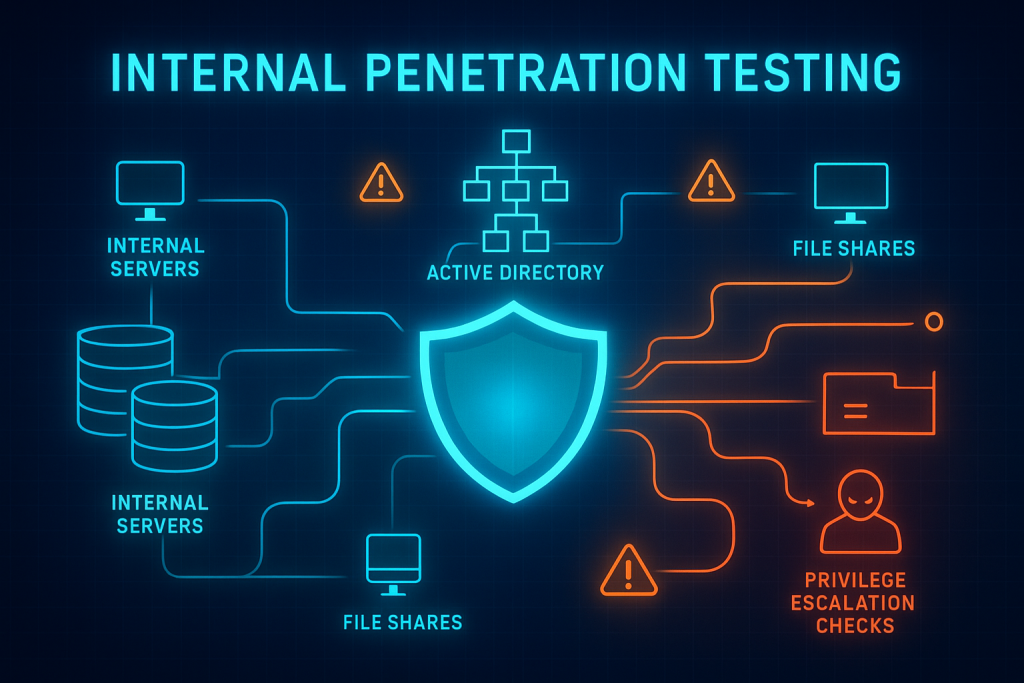
Polar opposite to what external penetration testing does for a business, internal penetration testing is all about identifying the vulnerabilities inside the network. And then, exploiting them to see how far a hacker can move within your system. Internal penetration testing covers testing internal servers, workstations, Active Directory, internal applications, file shares, network segmentation, and lateral movement possibilities.
And why does it matter at all? If a company’s external network is as secure as a strong wall, then there are higher chances of a breach happening because of internal vulnerabilities. It helps you see if your sensitive data is improperly exposed, how strong your internal security shield is, and how quickly a hacker can compromise critical systems.
Most Common Internal Penetration Testing Methods
So, here are the common internal penetration testing methods an A-list penetration company would use.
- Internal Network Scanning: Tester identifies live hosts, maps internal IP ranges, detects open ports & services, OS versions, roles, and internal servers. So, the outdated systems within the network can be identified.
- Vulnerability Assessment: Companies often assume they’re safe while their internal systems are unpatched. So, vulnerability assessment helps identify the missing patches, unsupported OS, old internal apps, and weak configurations.
- Password Auditing & Cracking: The common techniques used for this method include extracting password hashes, cracking weak passwords, testing password reuse, and checking the shared local admin passwords.
- Active Directory Exploitation: When it comes to ransomware breaches, it involves AD exploitation mostly. To prevent that, pen testers apply kerberoasting, pass-the-hash, pass-the-ticket, golden ticket attacks, and AS-REP roasting.
- Lateral Movement Testing: To fully understand how far an exploiter can move into your system, ethical hackers attempt to connect with other machines, use stolen credentials, and even pivot from low-privileged users to privileged accounts.
- Privilege Escalation Techniques: If a low-level user is managing the domain as an admin, that creates a lot of internal risks. The testers check for misconfigured services, over-permissive folders, weak registry permissions, and token impersonation opportunities.
- Endpoint Security Testing: This is where the testers analyze the antivirus & EDR configuration, ability to detect malicious behavior, and local security flaws. The EDR gaps can make it easier for hackers to execute payloads without getting detected in the system.
Top 5 Internal Penetration Testing Examples
Since we have covered the top 7 internal penetration testing methods, let’s look at a few examples to help you understand the impact of internal penetration testing in different situations.
Example 1: Privilege Escalation from Employee Accounts
It’s comparatively easier to get access to an employee’s account with no admin rights and then try to access the admin accounts. And here’s how the testers try to simulate it:
- Try to access privileges using misconfiguration
- Look for vulnerable services allowing privilege escalation
- Abuse token impersonation
- Dump locally stored credentials
- Identify folders or registry keys with unsafe permissions
And here are the common findings once they’re done:
- Local admin rights granted unintentionally
- Users allowed to restart services
- Vulnerable scheduled tasks
- Passwords in plaintext config files
- AD permissions allowing privilege abuse
Example 2: Weak Internal Password Exploitation
Companies are often more conscious about external password exploitation but tend to overlook internal systems. Hackers know how to exploit internal password flaws due to the employees or IT teams. Here’s how the testers simulate it:
- Attempt password spraying on internal accounts
- Test commonly used passwords
- Look for shared credentials posted in Teams/Slack/Email
- Try default passwords on internal printers, servers, and routers
- Crack password hashes found on compromised machines
And here’s what they find, usually:
- Easily crackable NTLM hashes
- Default credentials are still active on internal services
- Weak password policies (no MFA, no expiration)
- Reused passwords across multiple internal systems
- Passwords saved in plaintext docs or notes
Example 3: Testing Internal Databases & File Servers
Once a cybercriminal has gained access to your internal network through surface-level exploitation, they typically attempt to exploit the internal database and servers. To make sure they’re secure enough, pen testers try exploiting in different ways:
- Attempt to connect to databases without authentication
- Access file shares mapped for “everyone” or “all domain users.”
- Check if shared folders leak confidential documents
- Look for misconfigured database roles or excessive privileges
- Query databases for sensitive records
And here’s what they typically find:
- Unrestricted access to HR/Finance folders (directly risking your finances)
- Sensitive data stored without encryption
- Over-permissioned users in SQL/Oracle/MySQL
- Misconfigured file shares exposing confidential documents
- Databases allowing login without strict access controls
Example 4: Simulating Ransomware Spread
This is where the penetration testers help companies understand how quickly an attacker can escalate if their machines get infected (for ransomware). They test it by:
- Trying to move laterally across open SMB file shares
- Testing internal segmentation between departments
- Checking if the backups can be accessed or modified
- Simulating encryption behavior in a controlled environment
- Attempting to execute scripts on connected devices
And here are the common flaws they find by doing the above steps:
- Flat network architecture (which makes spreading the virus fast)
- Overly permissive files share access
- Poor or untested backup protections
- Critical systems are not isolated from user workstations
- Endpoint protection is not able to detect suspicious behavior
Example 5: Accessing HR or Finance Apps Internally
Internal applications contain highly sensitive and crucial data for businesses and organizations. Testers verify whether a compromised employee account can access them or not. If so, they determine how easily the account can reach or manipulate the applications. Here’s what they do:
- Checking for session or cookie weaknesses
- Try to view or modify confidential employee data
- Analyze internal APIs for insecure endpoints
- Test authorization gaps inside the application itself
- Attempting to access HR or payroll apps through a low-privileged account
And here are the common flaws they find:
- Audit logs are missing or incomplete
- Weak session handling increases the chances of account takeover
- Insecure internal APIs exposing data
- HR/Finance apps are accessible without proper role-based controls
- Sensitive records visible to non-privileged users
Internal vs External Penetration Testing: In a Nutshell
| Factor | External Penetration Testing | Internal Penetration Testing |
|---|---|---|
| Purpose | Identify vulnerabilities in the systems exposed to the internet | Identify risks inside the corporate network of a business or organization |
| Focal Point | To save the external network from hackers | Assess the damage an internal exploiter can make |
| Threat Actors Simulated | Bots, cybercriminals | Malicious insiders, malware, compromised employees |
| Starting Point | Public-facing assets: website, VPN, cloud apps | Inside network: employee workstation, internal systems |
| Common Targets | Login portals, firewalls, APIs, cloud assets | File servers, AD, databases, internal apps |
| Typical Flaws | Open ports, weak external auth, web app flaws | Weak internal passwords, lateral movement paths, privilege escalation |
| Tools | Nmap, Burp Suite, Nessus, SSL scanners | BloodHound, Mimikatz, PowerShell scripts, AD tools |
| Risk Type | Entry points and exposure risks | Impact, data access, and internal damage risks |
| Business Impact | Reduces risk of external data breaches | Minimizes risk of ransomware, insider attacks, and data loss |
| Testing Frequency | Annually or after major system updates/changes | Every 12–18 months or after internal restructuring |
| Best For | Organizations exposed online (almost every business is) | Businesses handling sensitive internal data |
Internal vs External Penetration Testing: What Should You Choose?
Ummm….first, correct your question. It’s not about choosing but what your business needs. So, let’s talk about the current status of your business and then help you decide which pen test should be the priority.
We want you to ask yourself these questions to get clarity on it.
- How much disruption can an outside attacker cause if they break into your system?
- Would an outsider find any outdated, forgotten, or unpatched systems if they scanned us today?
- Do we have public-facing websites, portals, APIs or forms where attacks could start?
- Are we damn sure that our internal access permissions are tight and not “everyone can access everything”?
- Would our business suffer more from an outsider breaking in or from an insider misusing access?
When you put these questions in front of yourself and the related staff, you’re gonna get a clear picture of how secure your business systems and networks are. Plus, you won’t have to overthink about internal and external penetration testing.
Frequently Asked Questions (FAQs)
Is internal or external penetration testing more important for a business?
The vitality of both types of penetration testing is absolutely equal. But it depends on your business’s risk profile. If you want to protect the public-facing assets, then external penetration testing is the right one. However, the internal penetration testing might be your go-to option if evaluating internal breach risks is top of your list.
Does external penetration testing detect insider-related vulnerabilities?
As the name suggests, external penetration testing identifies the external risks and threats. It doesn’t detect any kind of internal vulnerabilities in your system.
How often should companies perform internal and external penetration tests?
Getting your external and internal network tested is a common practice, but twice per year is more beneficial for industries such as finance, healthcare, or the government sector.
Can both internal and external penetration tests be conducted in one engagement?
Absolutely yes, even some companies get their external and internal networks tested, which gives them a clear, broad yet deep picture of where they’re standing in terms of cybersecurity.
What type of vulnerabilities are typically found in internal vs external tests?
External tests typically show the exposed login portals, weak or missing authentication, DNS/Email security flaws, misconfigured cloud buckets, web application vulnerabilities, outdated SSL/TLS, and more. While internal pen testing lets you know about weak internal passwords, insecure internal APIs, ransomware-spread vulnerabilities, privilege escalation paths, and a lot more.
Final Thoughts on Internal vs External Pen Testing
If you’ve read all the way here, you must have already understood penetration testing isn’t about choosing sides. Rather it’s about understanding what your business need, currently. You know what the smartest businesses do? They don’t get puzzled between internal vs external pen testing, but implement both.
Sounds like something you want for your business? Ping us to get a FREE consultation from penetration experts.